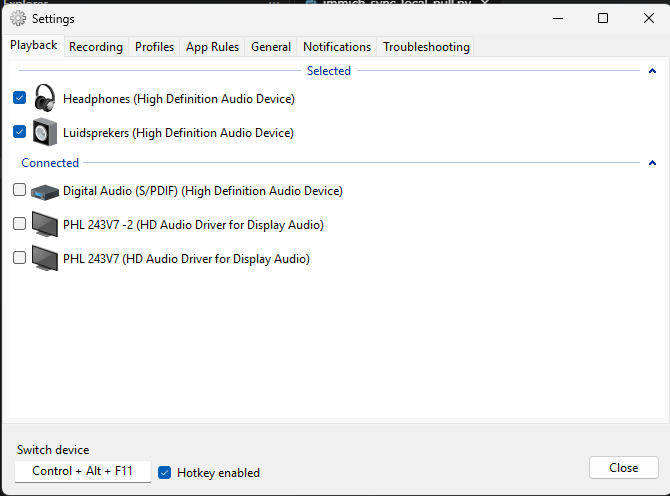

Free software to switch between speakers and headphones. A small icon in the taskbar shows the current output, and you can switch using Ctrl+Alt+F11.
I was looking for something like this, because I hate plugging my headphones in and out — it’s impractical and causes unnecessary wear and tear. SoundSwitch is a fitting name for what it does, but there’s a lot more online about another SoundSwitch that is used to program party lighting.
Get this SoundSwitch at https://soundswitch.aaflalo.me/, and I’d advise enabling “Start with Windows” (Settings → General).
You can also switch audio input devices, and even use profiles to switch to a specific audio input and output when using a particular program.